
IMPORTANT NOTICE ABOUT ILA APP!
To help improve our service and reporting, Duval requests that all teachers add their email address to the “Location” field on their ILA App.
–2 clicks to complete.
-Due February 1
To help improve our service and reporting, Duval requests that all teachers add their email address to the “Location” field on their ILA App.
–2 clicks to complete.
-Due February 1
HOW TO CHANGE THE LOCATION OF YOUR ILA
Step 1:
Click on the gear icon in the top right corner of your ILA when on the home screen.
 Step 2:
Click on the button titled “Location”
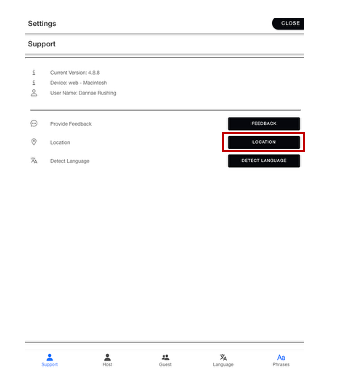 Step 3:
You will see a box pop up where you can type in the name of the location of your device. Duval is asking all teachers and staff to please use your work email as location.
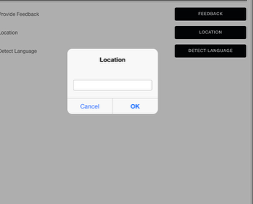
Be sure to press OK when finished.
